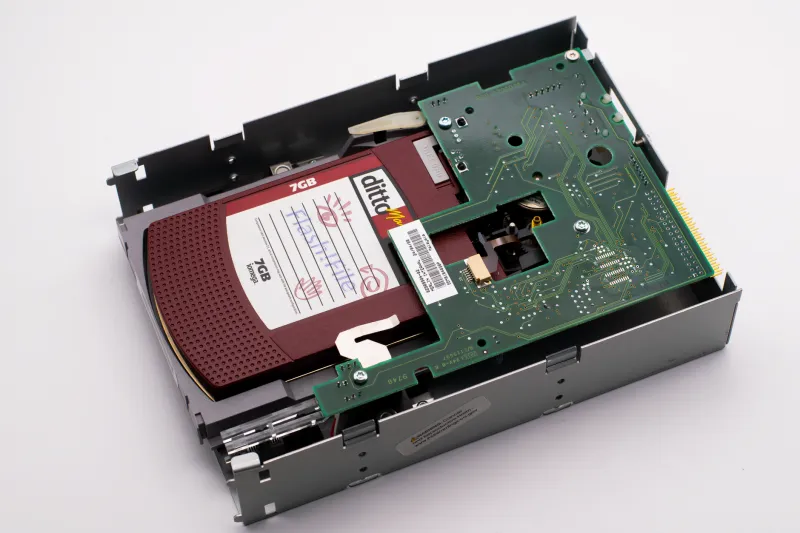
April 14 and the Drive Just Died: A Filing-Week Rescue Plan for Vanished Tax Records

Every April, a predictable crisis unfolds across the United States. A laptop that has been wheezing since January finally gives out the week returns are due. A folder of scanned W-9s gets deleted in a hasty desktop cleanup. An external drive holding three years of receipts simply stops mounting. For millions of taxpayers, the records needed to file accurately exist nowhere but a device that has just failed.
The instinct is to start clicking wildly—downloading recovery software, reopening the drive repeatedly, trying one more restart. Resist that instinct. What you do in the first 48 hours determines whether your records come back intact or whether you compound the loss. Here is the sequence that works.
Hour One: Stop Using the Device
Deleted files are rarely erased immediately. In most cases, the operating system has simply marked the space as available. Every new document you save, every update that installs, every browser cache that grows inches closer to overwriting the exact sectors where your tax records live. If the missing files matter, the device goes idle now.
If the drive itself is failing—clicking sounds, folders that hang when opened, the dreaded blue screen on boot—the stakes are higher. Power it down completely. A failing drive that spins one more time can grind past the point of recovery. This is the moment professional recovery services exist for, and while they are not cheap, the cost pales next to an IRS audit conducted without documentation.
Hour Two Through Twelve: Work the Free Replacement Channels
While you assess the damaged device, start pulling records from sources that never touched it. Most taxpayers are surprised by how much of a return can be reconstructed without the original files.
- Payroll portals. ADP, Workday, Gusto, and most employer systems let employees re-download W-2s and final pay stubs going back several years. Your HR department can also issue a replacement W-2 directly.
- Bank and credit card statements. Online banking typically preserves seven years of statements. These are the backbone of reconstructed deduction records.
- The IRS itself. Request a Wage and Income Transcript through the IRS website or by mailing Form 4506-T. It shows every W-2, 1099, and mortgage interest statement filed under your SSN. A Return Transcript covers previously filed returns.
- Contractor and client records. Lost a 1099-NEC? The issuer is required to keep copies, and the IRS transcript will show it regardless.
What the IRS Accepts as Reconstructed Proof
Contrary to popular fear, the IRS does not demand original documents. Reconstructed records are routinely accepted when they are consistent and credible. Bank statements showing a charitable donation, a vendor's re-issued invoice, mileage logs rebuilt from calendar entries, and receipts reprinted by merchants all qualify. The key is corroboration: a single reconstructed number is weak; the same figure appearing across two independent sources is solid.
If you genuinely cannot meet the deadline, file for an extension using Form 4868. It extends your time to file, not your time to pay, so submit your best payment estimate with it. An extension filed on time is never a black mark—filing with fabricated numbers absolutely is.
The 48-Hour Action Plan
First 12 hours: Stop all use of the affected device. Pull IRS transcripts and payroll records online. Download bank statements.
Hours 12–24: Contact employers and clients for document re-issues. Attempt recovery software only if the files were deleted (not drive failure) and the device is an internal drive—never install recovery tools onto the drive that lost the data.
Hours 24–48: Decide between filing with reconstructed records or filing the extension. If the data loss is severe and the records are substantial, get a professional recovery evaluation before attempting anything destructive.
After the Deadline: Build the System That Prevents a Repeat
A tax document crisis is rarely a one-time event. The taxpayers who lose records in April almost always had a single point of failure—everything on one drive, one laptop, one folder. The fix is unglamorous: scan documents year-round, store copies in at least two locations, and keep an encrypted cloud folder specifically for tax records. The IRS recommends keeping returns for at least three years; treat supporting documents the same way.
Disk failures do not check the calendar, but they do not need to cost you a filing deadline. Act deliberately in the first two days, lean on the replacement channels that already exist, and you can walk into April 15 with a complete return—even if the original files never come home.