The Last Bell Rings and the Account Closes: Saving a Graduating Student's Work From a District Chromebook
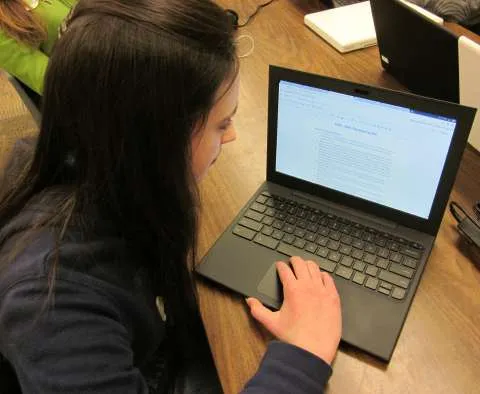
Photo: Jeff Billings, CC BY-SA 3.0, via Wikimedia Commons
Every spring, American school districts run a quiet administrative process that few families plan for. Graduating seniors, students who withdraw, and anyone returning a district-issued device have their accounts deactivated, and with deactivation comes the removal of email, cloud storage, and whatever else lived behind that login. The student walks across a stage in June and discovers in August that the research paper, the art portfolio, and the college essay drafts no longer open.
This is not malice. It is lifecycle management, executed at scale, on a schedule that has nothing to do with how much a seventeen-year-old might later want those files. What follows is a workable sequence for getting the material out, organized roughly by how much time remains before the account stops working.
Where a District-Managed Chromebook Actually Keeps Things
Parents often assume there is one folder to check. There are usually five or six, and they are not equally obvious.
Google Drive under the school account. This is the primary location for Docs, Slides, and Sheets, and it is the first thing to disappear when the account is suspended. Ownership matters here: a file created inside the district's domain may be owned by the district rather than the student, which affects whether it can be transferred at all.
The Downloads folder on the device itself. Files saved from a browser or exported from an app frequently land here and are never synced anywhere. On a shared or soon-to-be-wiped device, this folder is the most fragile location of all.
Android app data. Many Chromebooks run Android applications, some of which store documents and images in private app directories that do not appear in the Files app without enabling hidden folders.
The Linux container, if enabled. Students in computer science or engineering courses sometimes work inside a Linux environment. Those files live in a separate filesystem and are routinely overlooked during a transfer.
Shared drives and classroom folders. Group projects often live in a folder owned by a teacher or a team drive. The student may have edit access but not ownership, and access vanishes with the account.
The school's learning management system. Canvas, Schoology, and similar platforms hold submitted assignments independently of Google Drive. Submissions are usually retained for a defined period after a course ends, and each has its own download path.
The Order of Operations Before the Last Day
Start at least a month before graduation, device return, or withdrawal. Districts typically publish a deactivation date; if you cannot find it, ask the technology office directly and get the answer in writing.
Step one: run a full account export. Google Takeout, available from the account's data settings, produces an archive of Drive, Gmail, and other services. Request it early, because large accounts can take days to compile, and the download link expires. Choose the archive format carefully if you intend to reopen documents in another word processor.
Step two: transfer ownership, not just copies. For documents the student owns, use the sharing settings to transfer ownership to a personal Google account. This preserves comments, version history, and formatting in ways a downloaded file does not. Files owned by the district cannot be transferred, so download those instead.
Step three: pull the local files. Connect a USB drive and copy Downloads, Documents, and any visible app folders. Enable the option to show hidden files first. If the device is enrolled in a management system that blocks USB access, ask the technology office to enable it temporarily or to copy the files for you.
Step four: export the learning management system. Most platforms allow a student to download all submissions. Do this course by course rather than relying on a bulk option that may not exist.
Step five: verify. Open a sample of files on a computer that is not the school device. An archive you never tested is an assumption, not a backup.
What Survives the Wipe, and What Does Not
When a district deactivates an account, the typical sequence is immediate loss of login, followed by data deletion after a retention interval that varies widely by district, sometimes measured in weeks and sometimes in months. Email forwarding usually stops at once.
Administrators may still be able to restore data from Google Vault or an equivalent archival system during that interval. Vault retains copies of district-domain content for compliance purposes, but access is restricted to authorized administrators, and a request from a parent is a request, not an entitlement. Districts generally honor reasonable requests, particularly when they arrive before deletion, and some state student-records laws give families a right to copies of records maintained about their child.
What does not survive: files the student never saved anywhere else, browser bookmarks, app data that was never backed up, and anything stored only in a private Linux folder.
If the Account Is Already Gone
Recovery after the fact is narrower but not empty. Contact the district's technology department and ask specifically whether the account's data has been purged or is still held in archival storage. Cite the student's name, the graduation year, and the exact date range of the material. Ask for the request to be logged and for a written response.
Reach out to individual teachers, who frequently keep copies of major projects and may hold rubrics, feedback, or final submissions in their own course archives. Check the family's own devices for earlier drafts, and search personal email for attachments the student sent to themselves. Finally, review any portfolio platform the school used, since those accounts are sometimes independent of the district login.
A Habit That Prevents the Next Version of This
Students should export their work at the end of every semester, not every four years. A single folder on a personal drive, updated twice a year, converts graduation from a data emergency into a formality. Districts are not obligated to preserve a student's intellectual output indefinitely, and most do not pretend otherwise. The responsibility sits with the family, and it is far lighter when spread across eight semesters than when compressed into a final week.