The 400-Hour Save File: Why Your Kid's Game Data Deserves a Real Backup Plan
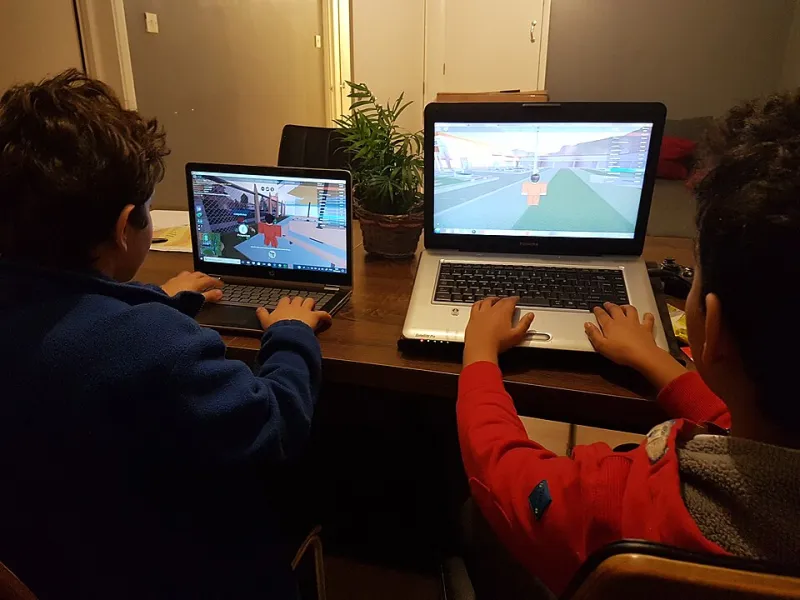
Photo: Serwa27, CC BY-SA 4.0, via Wikimedia Commons
Ask an adult what matters most on the family computer and they will say tax documents. Ask a ten-year-old, and the answer is the Minecraft world they have been building since second grade — and emotionally, the kid is right. A save file representing hundreds of hours cannot be regenerated, cannot be re-earned, and in many cases was never backed up at all.
Game data has become one of the most common — and most heartbreaking — forms of household data loss. The good news: a great deal of it is recoverable, if you know where it hides.
Not All Game Progress Is Stored Where You Think
The single biggest misconception in family gaming is that 'it's saved in the cloud.' Sometimes. Often it is not.
Nintendo Switch: Most titles store saves locally on the console, and only Nintendo Switch Online subscribers can use cloud backups — which many popular games, including some Pokémon titles, exclude entirely. A broken or lost Switch means those saves are gone unless the subscription and game both supported backup. If a console fails, Nintendo's support line can sometimes transfer data during repair, but do not count on it.
PlayStation and Xbox: Both platforms sync most modern game saves to the cloud automatically, which is genuinely protective. But older titles, and any save on a console that has not connected to the internet in a while, may exist only on the internal drive.
PC launchers: Steam syncs many games but not all — indie titles frequently store saves in local folders like Documents or AppData with no cloud coverage at all. Epic, GOG, and standalone launchers vary wildly. Minecraft Java Edition, notably, keeps worlds entirely in a local folder with zero built-in backup.
Mobile: Progress often ties to a platform account (Game Center, Google Play Games) or a publisher login. Games without account linkage store everything on the device — which means a cracked screen and a factory reset at the repair shop can erase years of progress.
What Is Actually Recoverable After a Failure
If the drive holding local saves fails or gets corrupted, recovery odds depend on the storage medium and what happened next. On a traditional hard drive, deleted or corrupted save files are often recoverable with file recovery software, because saves are small files that sit in lightly used disk areas. On an SSD, the clock runs faster — trim commands can permanently erase deleted files within days, so stop using the drive immediately.
For a corrupted-but-functioning drive, copy the save folders off before attempting any repair. On Windows, the usual suspects are Documents, AppData\Roaming, and AppData\Local; on a Mac, check Library/Application Support. Searching for the game's name will usually surface the right folder.
The Account Problem: Bans, Hacks, and Forgotten Emails
Not all loss is technical. A banned or hijacked account can strand a decade of purchases, skins, and rank.
Hijacked accounts are usually recoverable if the original email and purchase records are accessible. Every major platform — Xbox, PlayStation, Steam, Roblox, Epic — has an account recovery process, and purchase receipts are the strongest proof of ownership. The recovery window matters: the longer an attacker controls an account, the harder it is to unwind their changes.
Bans are harder. Recovery depends entirely on the platform's appeal process and the reason for the ban. Rare cosmetic items — a limited-edition Fortnite skin, an old Roblox hat — have real secondary-market value, and platforms generally do not restore them after bans or deletions, which is why prevention beats recovery here.
Forgotten credentials on child accounts are a quiet epidemic. When a kid grows up and the old email dies, account recovery becomes an archaeology project. Keep a secure record of the email addresses and birth dates used to create gaming accounts — those details are the recovery questions that matter.
A Prevention Plan That Takes Twenty Minutes
For the consoles, enable cloud saves wherever available and keep subscriptions active — a lapsed Switch Online membership is the most common way Nintendo backups stop happening. For PC, find the save folders for the games your family actually plays and include them in your regular backup routine; they are tiny, and they compress beautifully. For Minecraft specifically, copy the entire saves folder to cloud storage on a schedule.
Finally, have the account conversation before there is a problem: what email owns each account, whether two-factor authentication is on, and who knows the recovery details. A child's gaming legacy represents hundreds of hours of creativity and, in some cases, real money. It deserves the same backup discipline as the family taxes — maybe more, because unlike a tax return, that 400-hour world can never be rebuilt from a document.