The Ledger Left With the Laptop: Rebuilding Small-Business Books After a Sudden Departure

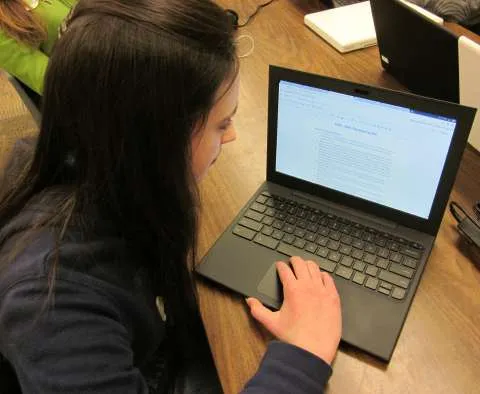
Photo: Alexander Kanitz, CC BY-SA 4.0, via Wikimedia Commons
When a bookkeeper, office manager, or contract accountant leaves without a proper handoff, the first symptom is often a dead laptop and a missing password. The financial records are not necessarily gone, but they are stranded. The business still owns most of the data, yet ownership does not automatically open a locked machine or a personal cloud account. The recovery has to be lawful, documented, and fast enough to meet payroll and tax deadlines.
Confirm ownership and lawful access before you touch the machine
Start with the contract, the employee handbook, and any confidentiality or acceptable-use policy. Determine whether the laptop was company-issued or personally owned, whether the bookkeeper used a personal cloud account, and whether the contract says anything about returning records and credentials at separation. If the device is company property and the business has a lawful right to access it, an IT administrator or a managed service provider can use the organization's recovery keys. If the device is personal, do not guess passwords or bypass security. Consult counsel and ask for written consent or a court order if necessary.
Preserve the machine in its current state. If the laptop is failing, do not reinstall the operating system or run a factory reset. Ask an IT professional to clone the drive before any repair. For a Windows device, check whether BitLocker recovery keys are escrowed in the company's Microsoft account or Active Directory. For a Mac, check FileVault recovery key records and the company's device management platform. If the machine will not boot, a professional can remove the drive and image it with a write blocker. That image becomes the working copy; the original stays untouched.
Recover the accounting platform first
Most small businesses do not keep the real ledger on a laptop. They keep it in QuickBooks Online, Xero, Wave, FreshBooks, or a similar platform, with the laptop acting as a browser and a local cache. If the business owns the subscription and the admin account, the owner can usually regain access through the platform's account recovery process. Use the company email, not the bookkeeper's personal address, and check the platform's user list for any departing user who still has admin rights.
Export before you edit. Download the general ledger, trial balance, chart of accounts, customer and vendor lists, open invoices, and payroll reports. Export bank feeds and reconciliation reports. If the bookkeeper used a separate payroll provider, request the payroll register, tax filings, and year-to-date totals. If the business uses a point-of-sale system, export daily sales and payout reports. These exports create a stable record while the business rebuilds access.
Reconstruct what the laptop took with it
When the local files are unavailable, the bank statements become the backbone. Request monthly statements and check images from every business bank and credit-card account. Match deposits to invoices and payments to vendors. Use payroll tax filings, W-2s, 1099s, and sales-tax reports to rebuild the payroll and revenue side. Search email for invoices, receipts, and signed contracts. Vendor portals often keep years of transaction history that can fill gaps.
Reconstruction is not a substitute for the original ledger, but it can produce a defensible set of books. Work with a CPA or enrolled agent if the business is behind on payroll tax or sales tax. Keep a reconciliation file that explains every estimate and every missing document. If an audit or loan application is pending, disclose the reconstruction method rather than presenting estimates as exact records.
Build a handoff checklist that prevents the next crisis
The best time to fix this problem is before the next departure. Create a credential vault for the business, not for the individual. Require two administrators on every critical platform. Store recovery codes and device encryption keys in a sealed, access-controlled location. Document the monthly close process, the export schedule, and the location of bank statements and payroll filings.
At separation, collect the laptop, phone, keys, and any external drives. Suspend the departing person's access on the same day, but do not delete the account until the handoff is complete. Export the accounting platform and the payroll system. Confirm that the business email account is under company control. Run a test restore from the backup. A handoff checklist is not bureaucracy; it is the difference between a routine transition and a scramble through bank statements in the middle of tax season.
SOS File's guidance is to treat financial records as a recovery problem and a governance problem at the same time. Recover access lawfully, export what still exists, reconstruct what does not, and then remove the single-person dependency that caused the crisis.