Before the Buffer Resets: Preserving Doorbell and Security Footage While It Still Exists
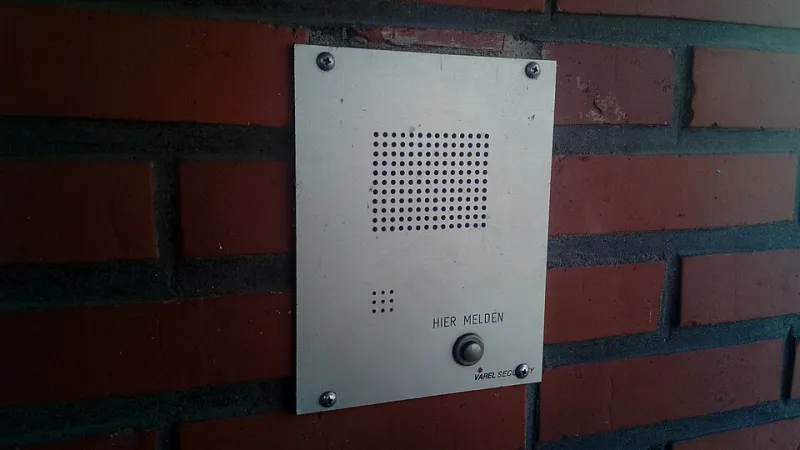
Photo: Donald Trung Quoc Don (Chữ Hán: 徵國單) - Wikimedia Commons - © CC BY-SA 4.0 International.(Want to use this image?)Original publication 📤: --Donald Trung 『徵國單』 (No Fake News 💬) (WikiProject Numismatics 💴) (Articles 📚) 21:46, 9 October 2020 (UTC), CC
The camera above your front door has been recording since the day it was mounted, and almost none of it still exists. Consumer security hardware is built around a rolling buffer: new footage displaces old footage on a fixed timetable, and that timetable is governed by a subscription tier rather than by the significance of what was recorded. A package theft, a collision in the driveway, or a dispute with a neighbor over a fallen fence rarely occurs at a convenient point in that cycle. The clip is usually discovered missing days after the event, when someone finally thinks to open the app.
What follows is a practical account of how those retention clocks operate, how to export footage in a form that survives scrutiny, and what options remain once the timeline is blank.
Retention Is a Subscription Setting, Not a Storage Limit
Homeowners tend to assume footage is kept until the drive fills up. In cloud-based systems, that is almost never the case. Clips are retained for a defined window, commonly somewhere between thirty and one hundred eighty days depending on the plan, with entry tiers often sitting at thirty or sixty. Some budget services hold event clips for as little as two weeks. When the window closes, the footage is deleted server-side whether or not anyone ever viewed it.
Local-storage cameras behave differently but not necessarily better. A doorbell that writes to a microSD card can hold far more history, but only if continuous recording is enabled and the card is large enough. Most installations default to motion-triggered events, which means the system captures a few seconds of a delivery and nothing of the two hours that followed.
Two consequences deserve attention. First, an expired or cancelled subscription often triggers deletion shortly after the billing lapse, not at the end of the retention window. Second, households with several cameras may hold different plans and therefore different clocks. The device at the front door and the one over the garage are not guaranteed to keep footage for the same length of time.
The Clock Starts at the Event, Not at Your Realization
This is the single most expensive misunderstanding in home security. The retention countdown begins when the recording is made. If your plan holds thirty days and you discover a theft on day thirty-one, the footage is gone regardless of how quickly you act afterward.
Practical countermeasure: set a recurring calendar reminder to review the camera system once a month, even when nothing has happened. Note the oldest event still visible in the app. That date tells you precisely how much history you have. Write it down.
Exporting a Clip That Will Hold Up
A phone-screen recording of an app playing a video is technically footage, but it is weak evidence. Adjusters and investigators look for a native export with embedded metadata. The process is short if you follow it in order.
- Use the manufacturer's download or share function. Retrieve the clip through the app's own export path so the file carries its original container, timestamp overlay, and camera identifier.
- Download the full event, not the preview. Many apps serve a compressed preview that omits the first and last seconds. Extend the range manually if the interface allows it.
- Confirm the time zone. Verify the timestamp against a known event, such as a text message sent at the same moment. A clip stamped in UTC rather than local time invites challenge later.
- Capture the event list as a screenshot. A still image of the app's chronological listing, showing date, time, and clip length, corroborates that the file came from the system rather than from editing software.
- Preserve the original untouched. Copy it to a second location before trimming, captioning, or converting anything. Work from the copy.
- Generate a checksum. On Windows or macOS, a simple hash of the file creates a fingerprint that demonstrates the file has not changed since export. Store the hash in the same folder.
- Write a one-page memo. Record the date and time of the event, the device model, the export time, and who performed it. Contemporaneous notes carry more weight than reconstructions written weeks later.
Deliver copies to insurers or police and retain the originals yourself. Never hand over the only file.
When the App Shows Nothing
Absence in the app is not always absence everywhere. Work through these in order.
Check every account with access. Shared users, a spouse's login, or a landlord's administrator account may have downloaded the clip before it aged out. Ask before assuming.
Inspect the local card. If the device records to removable storage, power it down and read the card on a computer. Continuous-recording cameras frequently retain footage the cloud plan never covered.
Ask the neighbors. A camera across the street, a vehicle dashcam, or a municipal traffic unit may have captured the same interval. This is often the fastest route to replacement evidence.
Contact the manufacturer's support within the grace period. Some providers keep deleted clips in a recoverable state for a short internal interval. There is no published guarantee, and requests generally require the account holder and a specific time range, but the call costs little.
For criminal matters, ask law enforcement to send a preservation request. Departments can issue legal process that compels a provider to hold data it would otherwise purge. This must happen before the window closes, and it works only for matters police are actively investigating.
Document the gap. If none of the above succeeds, tell your insurer plainly that the footage existed and expired. A written record of the retention schedule, taken from the service's own documentation, explains the absence without inviting suspicion.
A Ten-Minute Protocol Worth Adopting
Know your retention window and write it on the inside of a cabinet door. Export any clip of consequence within seventy-two hours of the event, while you still have time to verify the file plays correctly on a second device. Keep one copy on an external drive that stays in the house and one in cloud storage unrelated to the camera vendor. Revisit the schedule quarterly, because providers revise plan terms with little notice.
The camera will keep recording. The question is whether anything worth keeping will still be there when you go looking.